We can refresh page in javascript with below code.
function RefreshPage()
{
location.reload(true);
}
We can refresh page in javascript with below code.
function RefreshPage()
{
location.reload(true);
}
Javascript code to show tooltip:
function mouseXY(e, val) {
var posx = 0;
var posy = 0;
if (e.pageX || e.pageY) {
posx = e.pageX + 5;
posy = e.pageY;
}
else if (e.clientX || e.clientY) {
posx = e.clientX + 5;
posy = e.clientY;
}
//set current cells value in tooltip
document.getElementById(“lblToolTip”).innerText = val.innerText;
//set current position of div to show as tooltip at mouse position
document.getElementById(“movingDiv”).style.right = posy + “px”;
document.getElementById(“movingDiv”).style.left = posx + “px”;
document.getElementById(“movingDiv”).style.top = posy + “px”;
document.getElementById(“movingDiv”).style.display = ‘block’;
}
function hideDiv() {
document.getElementById(“movingDiv”).style.display = ‘none’;
}
window.onload = mouseXY;
Now write a dive with label to show as like tooltip.
<asp:CheckBox ID=”chkCode” runat=”server” Text=” onmousemove=”javascript:mouseXY(event,this);” onmouseout=”javascript:hideDiv();” />
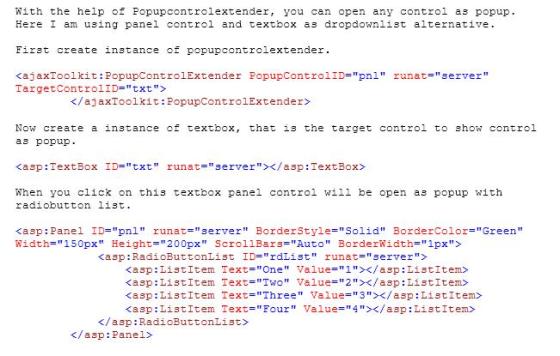
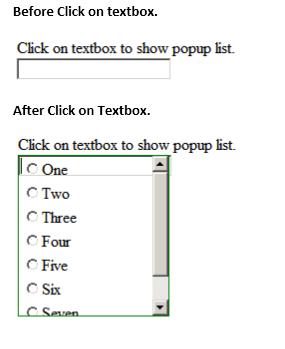
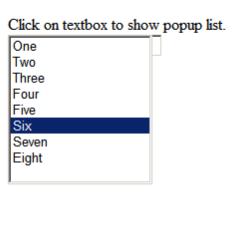
You can also use ListBox as popup
you can disable default button on a webform set to false of button property “UseSubmitBehavior” .
ex:
<asp:Button ID=”btnSave” runat=”server” Text=”Save” CssClass=”buttons” UseSubmitBehavior=”false” />
you can download sql server 2008 express with management studio express editions
link:
right click of mouse button and select organize using menu from contextmenu.
here you can sort and delete unused namespace.

keep the value of password textbox after postback while textbox TextMode properties is “Password”
add this line on page_load event
txtPassword.Attributes.Add(“value”,txtPassword.Text);
It will keep text of password textbox while page will go for postback on server.
This error occurs when we try to post html code from code behind.
The reason behind it server always validate the posted data, if it find that its an HTML code, error will occues like ‘A potentially dangerous Request.Form value…’.
if you want to send html data then you hvae to write {validateRequest=”false”} in page directive
ex:
AutoEventWireup=”true” ValidateRequest=”false”

